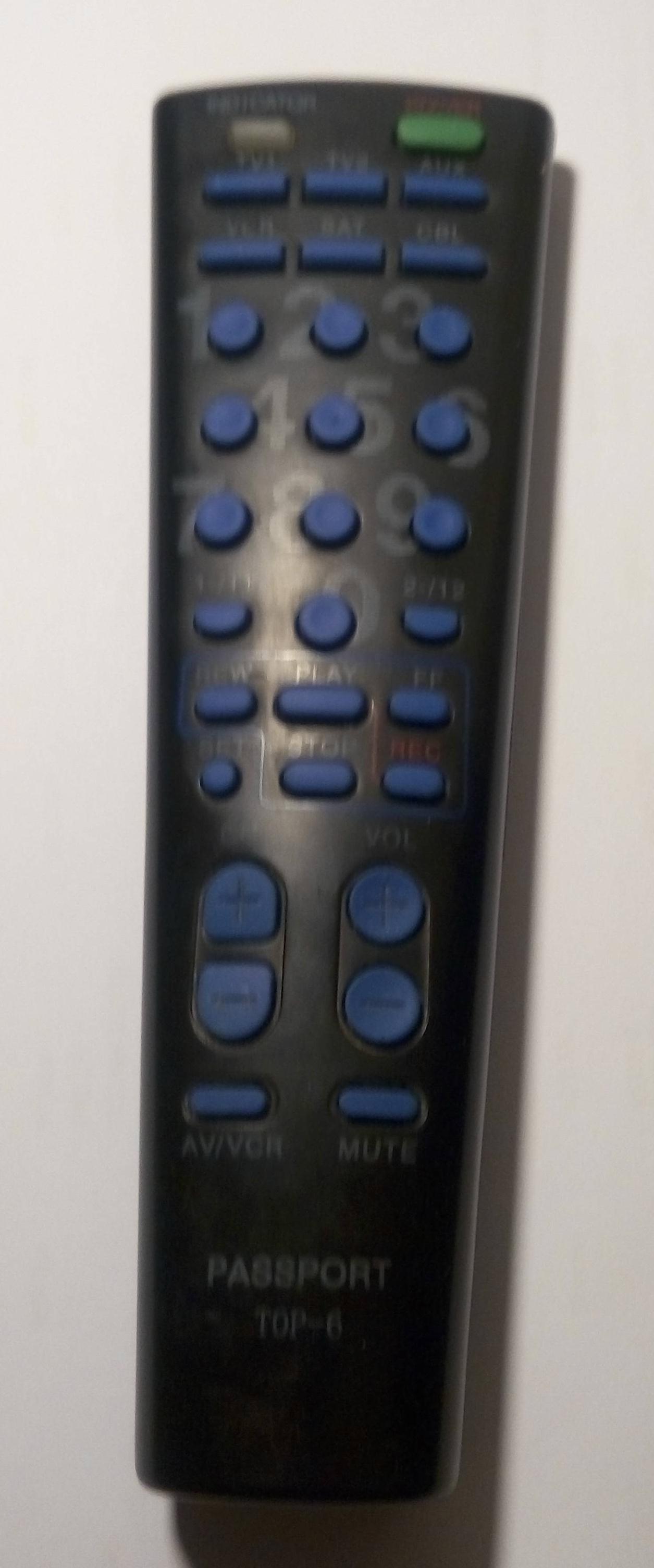
I have obtained the above remote from a friend and have tried to "learn" to the remote by placing the remotes face to face (standard procedure) and pressing the set button and try to learn the buttons without success--does anyone know the correct method to program a Passport Top-6 remote-that is the name written on the remote I have.
Many thanx
Universal remote Passport Top-6
Moderator: Moderators
-
vickyg2003
- Site Admin
- Posts: 7109
- Joined: Sat Mar 20, 2004 12:19 pm
- Location: Florida
- Contact:
Wow, I never knew how many kinds of things came with the words Passport as their brand. Cars, radios, radar detectors, garage door openers, and the list goes on.
The closest I could come with something that came with a "Universal Remote" and the name "Passport" was the Passport/Echo which came with a UEI Atlas Remote.
On UEI remotes the learning procedure requires the 975 command as outlined in the Wiki.
http://www.hifi-remote.com/wiki/index.php?title=975
Are you sure your remote is a learner?
Was it purchased as a universal remote, or did it come with a device?
The closest I could come with something that came with a "Universal Remote" and the name "Passport" was the Passport/Echo which came with a UEI Atlas Remote.
On UEI remotes the learning procedure requires the 975 command as outlined in the Wiki.
http://www.hifi-remote.com/wiki/index.php?title=975
Are you sure your remote is a learner?
Was it purchased as a universal remote, or did it come with a device?
Thanx for quick replyvickyg2003 wrote:Wow, I never knew how many kinds of things came with the words Passport as their brand. Cars, radios, radar detectors, garage door openers, and the list goes on.
The closest I could come with something that came with a "Universal Remote" and the name "Passport" was the Passport/Echo which came with a UEI Atlas Remote.
On UEI remotes the learning procedure requires the 975 command as outlined in the Wiki.
http://www.hifi-remote.com/wiki/index.php?title=975
Are you sure your remote is a learner?
Was it purchased as a universal remote, or did it come with a device?
I got it from a friend so no idea of its history
It has a set button and has 6 device buttons hence the name TOP-6
Tried 975 code but doesnt seem to work-- I will try and upload a few pictures
-
The Robman
- Site Owner
- Posts: 22008
- Joined: Fri Aug 01, 2003 9:37 am
- Location: Chicago, IL
- Contact:
Could you post a picture of the remote?
Rob
www.hifi-remote.com
Please don't PM me with remote questions, post them in the forums so all the experts can help!
www.hifi-remote.com
Please don't PM me with remote questions, post them in the forums so all the experts can help!
-
The Robman
- Site Owner
- Posts: 22008
- Joined: Fri Aug 01, 2003 9:37 am
- Location: Chicago, IL
- Contact:

Rob
www.hifi-remote.com
Please don't PM me with remote questions, post them in the forums so all the experts can help!
www.hifi-remote.com
Please don't PM me with remote questions, post them in the forums so all the experts can help!